
I’m excited to showcase my first web app. Yes, it’s fairly primitive but you need to understand that I am not a computer programmer. The last time I coded anything I was in High School decades ago although there was a computer class or two in college that I may have taken.
But first, let’s talk a little about the journey to get here. I recently wrote that I was dumping ChatGPT in favor of Gemini and one of the most common tasks I do for this blog, in particular, is create images for each post. I started playing with the free Gemini image generator and it works ok except it puts that ugly logo in the bottom right hand corner and there is no way to get rid of it unless you use Google’s developer’s toolkit.

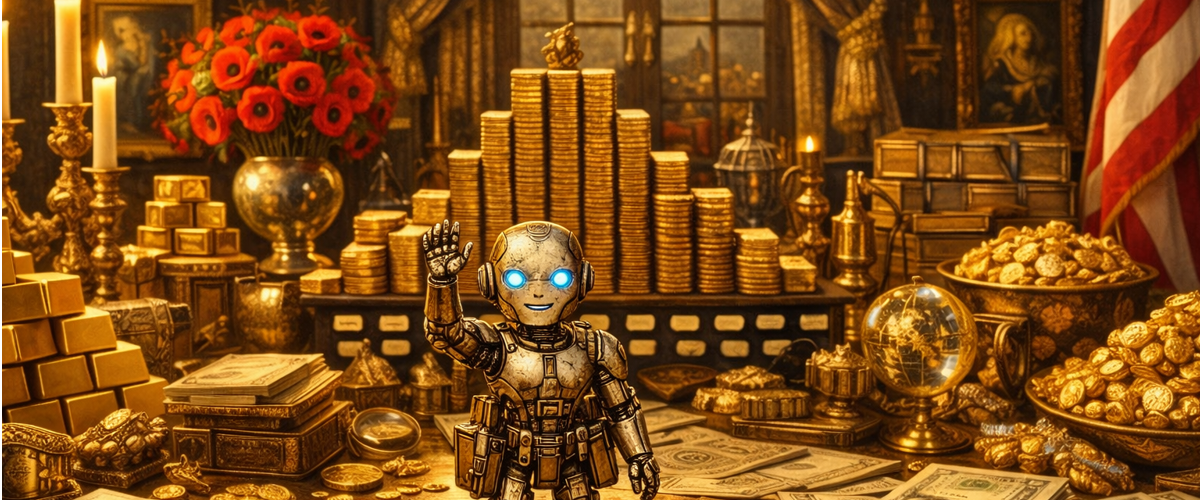
To make a very long story short, I have had to train Gemini on how to create the images I like, or if you prefer, had it train me to tell it how to create the images I want. Long time readers know that I like Dutch golden area images (below) instead of photo realistic (above) for this blog as it’s part of the style/theme I use here.

It turns out to create the image above requires quite a detailed prompt and I got tired of cutting and pasting the text each time I wanted to create a new image so it occurred to me to ask Gemini how I can create an app to automate the process for the different types of image styles I want to create. After quite a few trial and error issues, I finally built the app below.

On the left side are options for the different types of images I would like to create such as Dutch Impasto (below), and Art Nuveau (next one down) along with the image size (Gemini always defaults to 16:9 format). In the center there is an input box for a brief description without having to paste the style type so I can now type a brief description, select the style and format/size and generate the image.
How it works: there is a large hidden text prompt that is added to the end of the input prompt that specifies the style of image I want. The app sends the full blown text to create the prompt to Google’s AI which creates the image and sends it back all through the API.
The API interface generates images much faster than the free consumer version and with no logo. There is a small charge for using the API interface and I think it’s about $0.03 per image. It’s well worth it to get rid of that logo and faster response time.

An “Impasto” version of the lake image (above). Gemini Art Nuveau version of the lake picture (below)

Overall it took me several hours over a couple of days to figure this all out but now that I know how the whole process works, I should be able to start cranking out apps a bit faster for my own personal use.
There is so much I want to do now that I get bogged down in writing ideas rather than having Gemini code them all for me but I’ll eventually get there. I wanted to start with tools that make blogging easier so this is my first app and it is saving me quite some time now.
Now that I think about it, maybe I will feed my list of ideas to Gemini and have it prioritize the most bang for the buck and start writing apps!
I do feel sorry for anyone that makes a living doing computer programming or doing image creation/editing, it’s easy to see how those jobs will vanish in a few years. I am also doing amazing things with creating my own financial analyst app but that’s still a work in progress. Financial analysts, tax accountants and others in similar industry may lose their jobs too. The trial tests I’ve done have provided decent results and AI will likely just improve over time.
In some ways, it’s really scary that someone with little coding experience can build apps with Gemini.
Share The Wealth
I ask again, have you picked out your AI ecosystem partner yet? If not, what are you waiting for? Don’t get left behind, I am already getting way ahead of you and I know nothing!