
After using AI to save $1000 on a new network at home, I decided to use some of those funds to build me a home AI lab. It was a rough start which you can read about here but I now have my lab fully operational but I am still tweaking a few things.
My original image app is now accessible from any computer with a web-browser as it’s running off of a web server. I plan on moving my dashboards, financial apps, and other things over but I will be tweaking all of them when I have time.
The major impedance to all the cool AI stuff I want to do now is my job. It’s taking up too much of my time!
About The Lab
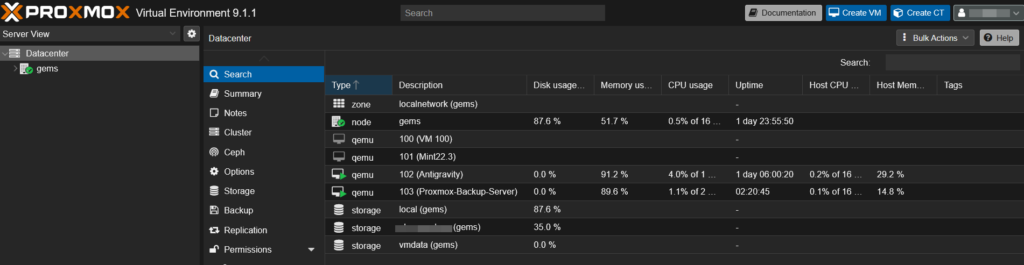
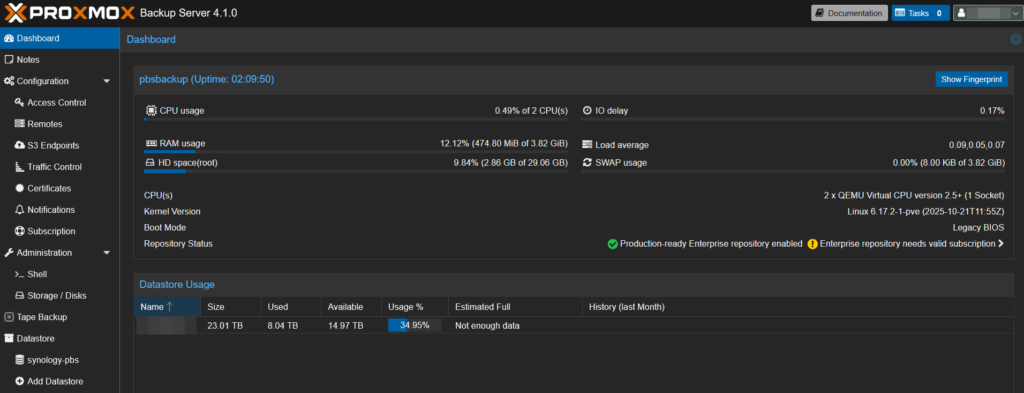
The lab consists of a mini server running proxmox and loaded up with virtual environments dedicated to doing various things. One is my “development” platform, another is a web server, and (ironically) I was able to setup a dedicated Docker virtual machine that was super easy to setup and run but I am so jaded that it’ll be a while before I get back into that game. Below are some screenshots of the lab setup and some of the apps running.
Prroxmox Host
Proxmox Backup Server (backs up all my stuff)
Back Ratio Spread Optimizer (used to enter positions at steep discounts)

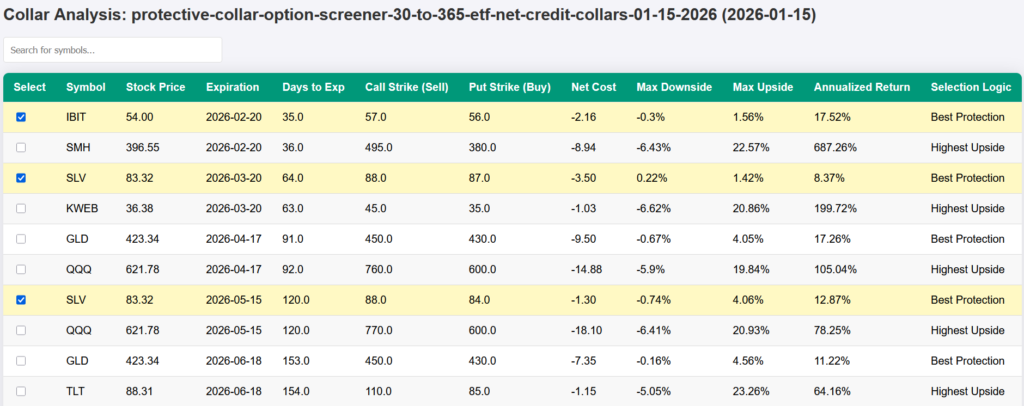
Credit Collar Analyzer – Specific Tickers (used to find optimum credit collars on specific tickers)
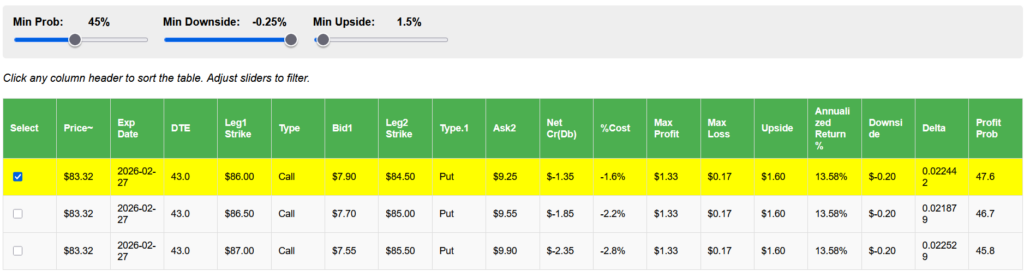
Best Credit Collar Analyzers (provides a list of ALL optimum credit collars)
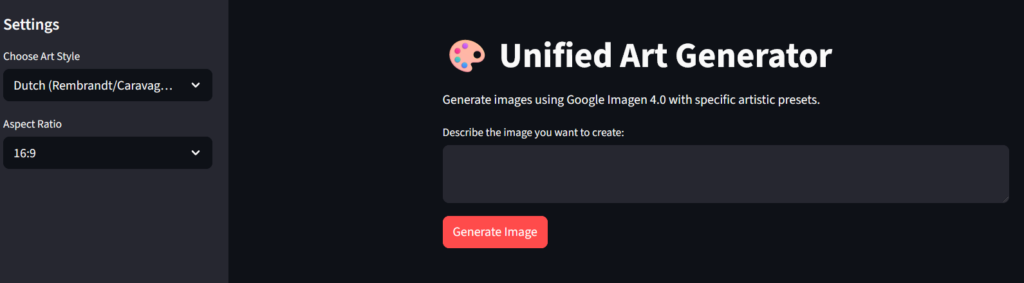
Unified Art Image Generator (used to create images for blog)
I built everything above through conversations with either ChatGPT and Gemini. It was mostly easy but there were times I had to take screen shots, upload them to AI and have it figure out what was wrong. There was a lot of copy/paste of command line interface (cli) text too. You don’t have to be a technical expert but you do have to have a LOT of patience. At the end of every major milestone, I asked AI to create a “mark down” file to summarize all the stuff we did just in case I had to restart all over again. So in addition to walking me through everything, it documented all the procedures along the way and I save them to my computer. The good news is that AI won’t yell at you if you get something wrong, it was far more patient that I was during the setup process.
AI continues to lead me into a variety of directions on automation, workflow, and the most important, money making. In a few weeks, I’ll have the results of my first AI options trades but it’s already looking like AI got lucky or is simply a lot smarter than I am but in either case, the goal is to make more money, manage risk and it looks like it’s going to happen.
Too Many Tools Too Much Change
The second major problem I’m having with AI is keeping up. There are so many new tools coming out that can do cool things that I don’t know where to go or keep up. Right now for sanity’s sake, I am focusing on my investment portfolio but I can think of a thousand other things to do such as:
- Landscaping and gardening app to keep track of planting seasons, plants, watering, harvesting. Adding an AI driven automated sprinkler would be a darling stretch project for me.
- Home maintenance app to keep track of changing filters, ordering replacements when due, purging the water heater, keeping track of my tools, etc.
- Asset inventory – I want to take a picture of every piece of jewelry, have AI appraise it and then review my insurance policy to ensure coverage but also do all the other assets.
- Wine inventory – We use an IOS app to track our wines but it’s not cool enough now that I can build my own.
- Electricity management – I would love to control more of my electricity usage by unplugging devices that are not in use during most of the day.
- Car Maintenance app – Keep better track of car maintenance by scanning all the work.
Share The Wealth
Are you taking yourself to the next level with AI yet? Let me know in the comments below.